
Getting Started
Get up and running with VegAssess in minutes.
1. Create an account
Download VegAssess from the App Store or Google Play and sign up with your email address. Your organisation administrator can then add you to your team. Each organisation's data is completely isolated — you'll only see projects and assessments belonging to your organisation.
2. Create a project
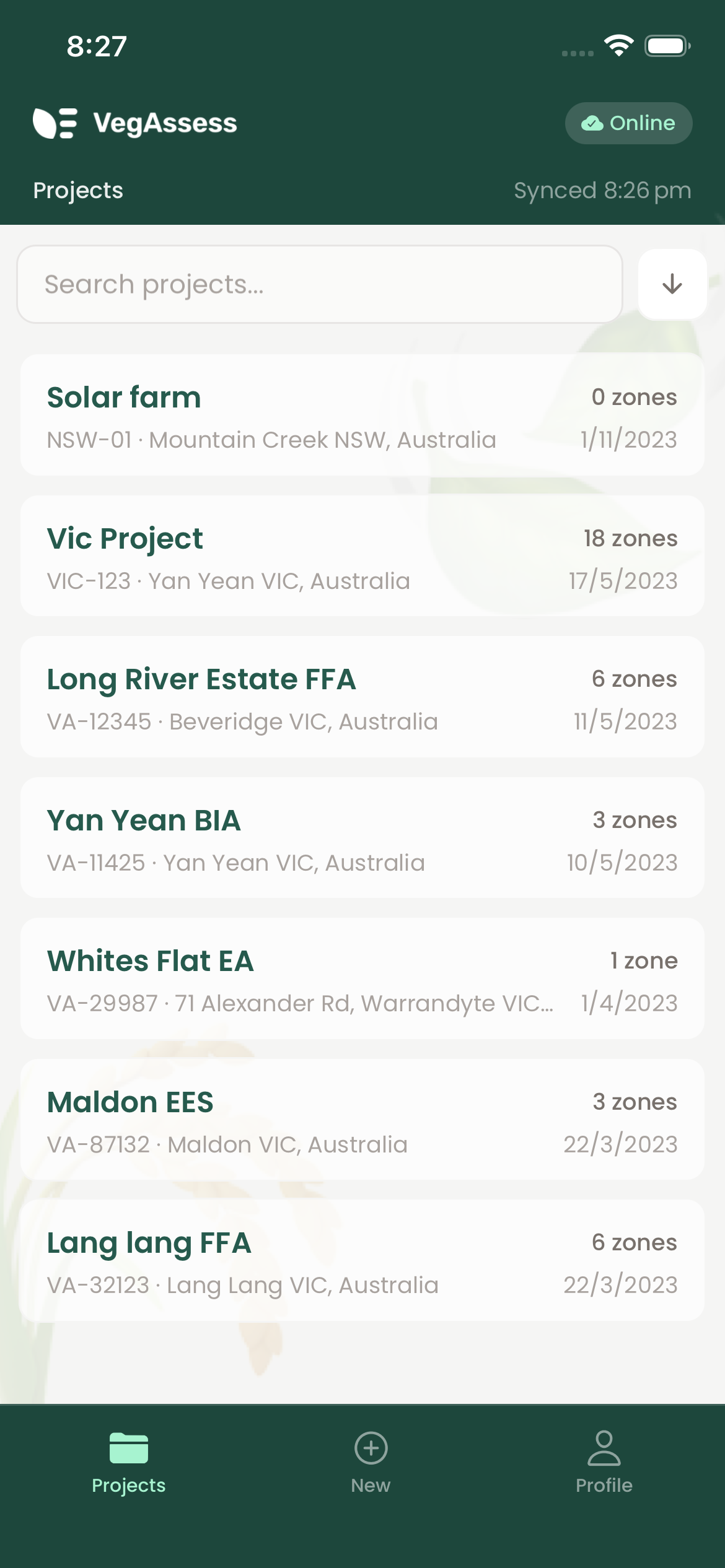
Projects represent a site or job. Tap the + button on the dashboard to create one, then add a name, location, project number, and project manager. All assessments live within a project.
Projects appear in the dashboard with their status and zone count. Use the search bar at the top to filter by name or project number.
3. Start an assessment
Open a project and create a new assessment. Choose either VQA (Victorian) or BAM (NSW) methodology, select the relevant EVC benchmark, and start recording field data.
VegAssess guides you through each required data point. Scores update in real time as you enter observations, so you can verify your data before leaving the site.
4. Sync and export
When connectivity returns, your data syncs automatically to the cloud. A sync indicator shows whether data is pending, syncing, or fully synced — you don't need to do anything.
Generate PDF reports or export CSV data from any completed assessment. Reports include project details, methodology, field data, condition scores, and benchmark comparisons. They can also be generated offline.
Tips
- Sync before heading to the field — ensure reference data (species lists, EVC benchmarks) is downloaded while you have connectivity.
- Use the search — species lists are large, so use the search bar to quickly find species by common or scientific name.
- Check scores as you go — live scoring lets you verify your data makes sense before leaving the site.
- Export early — PDF reports can be generated offline in the field for immediate stakeholder communication.